
Cape Cod Times, Hyannis, Mass.
USA TODAY Co.News & Magazines
3.464.00 Reviews
- Version
- 8.10.3
- Installs
- 10.00K
- Age Rating
- Everyone
Screenshots


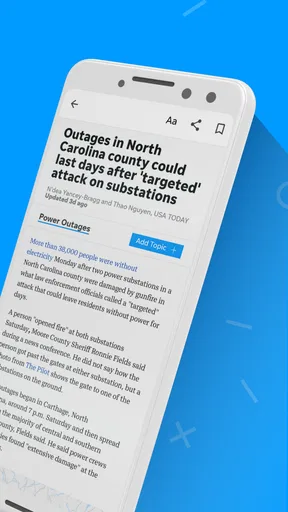

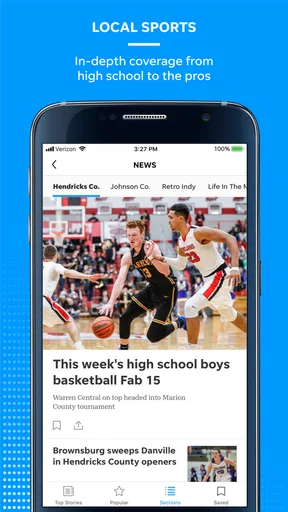


Our Review of Cape Cod Times, Hyannis, Mass.
 Analysis by Appyee
I spent time with Cape Cod Times, Hyannis, Mass. as a local-news reader rather than treating it like a general headline app. That distinction matters. The app is built around news from Cape Cod, while also bringing in broader coverage, photography, and video. For someone who wants local reporting close at hand, it feels more focused than opening a large national news service and searching for regional stories every morning.
The app comes from USA TODAY Co. and sits in the News & Magazines category. It is free to install, rated for Everyone, and currently listed as version 8.10.3 for devices running Android 8.0 or newer. The free entry point makes it easy to try without making an immediate commitment, although the presence of in-app purchases ranging from $19.99 to $69.99 per item means I would pay attention to any subscription or purchase screen before proceeding.
How I use Cape Cod Times in a normal news routine
My most useful routine starts with a quick visit at the beginning of the day, followed by a second check when something local is developing. I do not try to read every item in sequence. Instead, I scan the main stream for stories that affect daily life, open the pieces that need context, and leave the visual material for when I have a little more time.
That approach suits a regional publication particularly well. Local readers are often looking for practical awareness rather than an endless feed: what is happening nearby, which public issue deserves attention, and whether a developing story has moved beyond a short initial report. The app gives that kind of reading a dedicated place instead of making local coverage compete with thousands of unrelated national headlines.
A realistic example would be checking the app before leaving home, noticing a local story that may affect the day, and returning later to watch an accompanying video or look through the photography. I like this two-pass method because it prevents the visual content from slowing down the first scan. It also makes the app useful on busy mornings without reducing it to a single headline glance.
The strongest part of the experience is the combination of local and national coverage. Local reporting gives the app its identity, while wider stories make it less necessary to switch immediately to another news source. Still, I would not treat it as my only source for every subject. A regional news app can be excellent for its community focus without replacing a specialist publication, a public agency announcement, or a broader outlet when I need extensive national or international context.
The photography and video deserve a deliberate look. They are not merely decoration when a story depends on place, atmosphere, or visible change. I find visual reporting especially useful for understanding local events that are difficult to picture from text alone. The trade-off is simple: rich media can consume more attention and may be less convenient when I am reading on a weak connection or trying to conserve battery. My habit is to browse text first and open media selectively.
Navigation feels easiest when I decide what I want before opening the app. If I have ten minutes, I read the main stories. If I have only two minutes, I scan headlines and stop after finding one item worth saving mentally for later. This sounds basic, but it prevents a common problem with news apps: opening them automatically and drifting through an unplanned stream.
The app’s audience is fairly clear. It is a good fit for residents, former residents, visitors who want a stronger sense of the area, and anyone who follows Cape Cod news from a distance. It is less compelling for a reader who wants a completely national news dashboard, a highly customizable aggregator, or a single app dedicated to financial, technology, or international reporting.
Settings I would check before settling into the app
I recommend spending a few minutes reviewing the app’s available settings and the purchase language before building a daily habit. I would look for notification controls first. News alerts can be useful for genuinely important local developments, but too many interruptions turn a helpful source into background noise. I prefer notifications that support an intentional check rather than constantly pulling me back into the feed.
I would also review how the app handles media and reading preferences on the device. Photography and video are part of the appeal, but not every reader wants them to load or play as readily as text. If the app offers controls for those behaviors, they are worth adjusting around your connection, data plan, and reading style. I would not assume a setting exists without seeing it in the installed version; the practical point is to inspect what is actually available instead of accepting every default.
Purchase screens deserve the same attention as notification settings. The app is free to download, but in-app items are listed between $19.99 and $69.99 each. That does not make the app a poor choice, but it does make deliberate reading important. I would check whether a prompt relates to access, a recurring plan, or another purchase condition before confirming anything. Readers who only want occasional local headlines should be especially careful not to start a paid arrangement accidentally.
Another useful check is text readability. News apps often look polished while still requiring small adjustments for comfortable long-form reading. I look at brightness, system text size, and whether the app’s layout remains easy to follow when I enlarge text. This is more important than it sounds: local reporting can involve names, public details, and background information that are tiring to read when the display is cramped.
I also recommend checking the app after an update rather than assuming your preferred behavior will remain unchanged. The current version is 8.10.3, and updates can alter menus or the way sections are presented. My repeatable habit is to revisit notifications, purchase-related screens, and media behavior after a major change. That takes less time than troubleshooting an unexpected stream of alerts later.
Device age is another practical consideration. The app supports Android 8.0 and newer, so anyone using an older phone should check compatibility before planning around it. On a supported device, I would still keep expectations realistic: visual news content can feel less comfortable on a small or aging screen than on a newer phone or tablet. The app may remain usable, but the quality of the reading experience depends partly on the hardware.
Faster reading patterns that save time
Experienced use is less about tapping quickly and more about repeating a sensible sequence. Mine is scan, select, read, and leave. I scan the available headlines, select only stories connected to my interests or immediate needs, read them without jumping constantly between items, and leave once I have enough information. This keeps the app from becoming an automatic time sink.
I separate discovery from depth. During a short check, I am looking for signals: a story that appears important, a subject that is changing, or a visual report that adds something text cannot. During a longer session, I go back to the selected pieces and read them properly. This two-stage workflow is more effective than opening every headline as it appears.
For people who follow a local issue over several days, I suggest keeping a simple mental thread rather than treating each article as isolated. Note the subject, remember which details were already covered, and use later visits to look for what has changed. The app becomes more valuable when used as a continuing local-news habit instead of a random headline dispenser.
Video works best as a second layer in that workflow. I open it when seeing the scene, hearing an explanation, or observing an event adds real understanding. I do not open every clip automatically. This saves time and makes the visual material feel purposeful. It also helps readers who mainly want written reporting but still appreciate the occasional richer presentation.
Photography can be handled in a similar way. I look at it when location and atmosphere matter, especially in stories where the physical setting is part of the news. For routine updates, I move on. That small decision keeps the app’s visual strengths from turning every reading session into a slower browsing experience.
Another useful pattern is to give the app a fixed place in the day. A morning scan is good for awareness, while an evening visit works better for catching up without rushing. I would avoid checking it every few minutes unless I am following a genuinely developing event. Frequent opening does not necessarily produce better understanding; it often produces repeated exposure to partial updates.
The app also works well as a companion to, rather than a replacement for, other sources. I might use Cape Cod Times for local reporting, then consult a broader outlet for national context or an official source for a direct statement. That division of labor is one of the most sensible ways to use a regional news app. It protects the app’s strongest role instead of judging it against services designed for a different purpose.
Where the experience has limits
The app’s local focus is its main strength, but it is also the reason some readers may outgrow it. If your priority is a large variety of national, international, business, or specialist stories, a broad news aggregator will probably offer more range in one place. Cape Cod Times makes more sense when local relevance matters enough to justify a dedicated app.
The average rating is 3.4 from around 138 ratings, with about 64 written reviews. I read that as a sign to keep expectations measured rather than as a final verdict. A regional app can be extremely useful to the right reader while feeling limited to someone who wants a more expansive or highly polished news platform. The app’s value depends heavily on whether its coverage matches your connection to Cape Cod.
The free download is convenient, but the in-app purchase range creates a point of friction for casual users. I would not recommend tapping through payment prompts quickly, especially if you are only testing the app. People who want occasional access may prefer to establish exactly what they can read for free before deciding whether the broader offering fits their budget.
There is also a difference between having local coverage and having every answer immediately. News develops over time, and a local publication may not provide the same depth as a specialist source for every topic. When I need official instructions, technical information, or a complete national overview, I look elsewhere. That is not a failure of this app; it is a reminder to use it for the job it handles best.
Readers who dislike notifications, video-heavy presentation, or any possibility of paid access may find the experience less comfortable than a simple text-based news reader. Likewise, someone who wants extensive customization should compare it with an aggregator before committing to a routine. Aggregators are usually better for combining many publications, while this app is better when the Cape Cod Times perspective is the reason you opened it.
Privacy and permissions are worth considering in the ordinary way I would consider them for any news app. I review the prompts shown during setup and allow only what makes sense for the features I intend to use. I do not grant access automatically just because an app asks. This habit is especially useful when testing a free application that includes optional media, notifications, or purchase flows.
Who should install it, and who should skip it
I would recommend Cape Cod Times to someone who wants a dependable local-news starting point and appreciates reporting supported by photography and video. It is also a sensible choice for people who have moved away but still want a connection to Cape Cod, provided they understand that the app is centered on that region rather than designed as a universal news replacement.
I would be more cautious recommending it to a reader who expects a fully open, ad-free-feeling, highly configurable news dashboard or who mainly follows subjects unrelated to the area. That person may get more value from a general aggregator or a publication specializing in their preferred topic. The same applies to anyone unwilling to inspect in-app purchase prompts.
Families may appreciate the Everyone content rating, but I would still guide younger readers toward thoughtful news habits. The rating describes broad suitability, not whether every story will be emotionally comfortable or appropriate for every child. For shared devices, notification settings and reading choices are more important than the age label alone.
My verdict after building a repeatable habit
After using it as a focused local-news tool, I see Cape Cod Times as a practical companion for readers who care about Cape Cod and want more than scattered headlines. Its best qualities appear when I use a simple routine: check local developments, read selectively, open visual material when it adds context, and verify broader or official details elsewhere when necessary.
The key trade-off is focus versus breadth. You gain a dedicated connection to local reporting, photography, and video, but you should not expect the range or customization of a large news aggregator. The free installation lowers the barrier to trying it, while the listed purchase options make careful attention worthwhile.
For me, the app earns a place in a news rotation rather than serving as the only news source on the phone. If Cape Cod is part of your daily life, it is worth testing with notifications adjusted and a clear reading routine. If it is not, the regional focus will probably feel too narrow. That is the honest dividing line: this is most useful when local relevance is the feature you value most.
Verdict
Strengths of Cape Cod Times, Hyannis, Mass.
- Local coverage focused on Cape Cod communities and regional issues.
- Includes breaking news, weather updates, and local event information.
- Useful sports reporting for area schools and local teams.
- Digital access makes the newspaper convenient to read on mobile devices.
- Helps readers stay informed about community developments and public affairs.
Limitations of Cape Cod Times, Hyannis, Mass.
- Some articles or features may require a paid subscription.
- Coverage is highly regional and may be less useful outside Cape Cod.
- App performance and loading times can vary with internet connectivity.
- Frequent notifications may feel excessive unless customized.
- Some digital content may closely mirror the newspaper’s website.
Other Releases by USA TODAY Co.
View All
IndyStar: Indianapolis Star
News & Magazines2.7

AZ Central: Arizona Republic
News & Magazines2.5

The Detroit News: Local News
News & Magazines3.1

Detroit Free Press: Freep
News & Magazines3.0
Similar Picks in This Category
View All
Google News - Daily Headlines
Google LLC4.0

X
X Corp.4.8

Flipboard:Your Social Magazine
Flipboard3.4

Opera News: breaking & local
Opera4.5

Hindi News by Dainik Bhaskar
Dainik Bhaskar Group4.0

Way2News Daily News App
Way2News ( Formerly Way2SMS )4.6
Frequently Asked Questions
What is the Cape Cod Times app, and what kind of content does it provide?
The Cape Cod Times app is a digital news platform focused on Cape Cod and the surrounding Massachusetts communities, including Hyannis. During testing, it proved useful for keeping up with local breaking news, politics, public safety, community events, business, sports, entertainment, and regional issues. It is designed for readers who want local reporting in a convenient mobile format rather than relying only on the printed newspaper or website.
Is the Cape Cod Times app free to download and use?
Downloading the Cape Cod Times app is generally free, so users can install it and explore the available sections without paying an upfront fee. However, access to all articles and premium features may depend on the publication’s subscription policy. Some stories can be limited to subscribers after a certain number of views, so check the current in-app terms and subscription options before assuming that every article is available at no cost.
Does the app require a subscription to read Cape Cod Times articles?
A subscription may be required for unlimited access to the full Cape Cod Times article library. The app can provide free headlines, selected stories, and other publicly available content, but digital access rules may change over time. If you frequently read local reporting, review the available subscription plans, renewal terms, and cancellation instructions carefully before subscribing through Google Play or the Apple App Store.
Can I receive breaking-news alerts for Hyannis and Cape Cod?
Yes, the app may support push notifications for breaking news, important local developments, weather-related updates, and other major stories affecting Cape Cod and Hyannis. Notifications are helpful when you want immediate updates, but they can become frequent during busy news periods. After installation, open the notification settings and choose the categories you want, or disable alerts entirely if you prefer to read news only when you launch the app.
What should I know about privacy, performance, and offline reading?
The app may request permission to send notifications and collect certain technical or usage information needed to operate, measure, and improve the service. Review its current privacy policy before signing in or subscribing. In normal use, articles and images load best with a stable internet connection, while offline availability can be limited. Keep the app updated because performance, compatibility, advertising, and privacy settings may change with new releases.
